

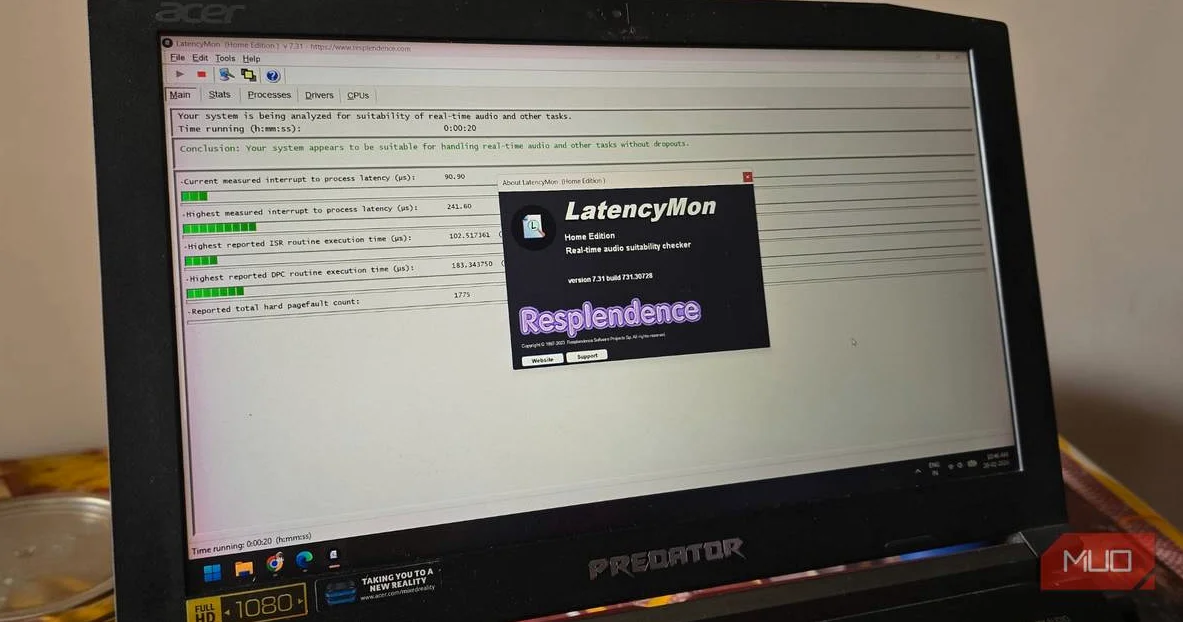
Personal computers can stutter during gaming, music playback or Zoom calls, with audio crackling and cursors freezing for split seconds before returning to normal. Task Manager often reveals nothing amiss, leaving users puzzled. LatencyMon cuts through the confusion by detecting interrupt delays from hardware like Wi-Fi adapters or graphics cards that hog processor time.
Developed by Resplendence Software, the tool runs quietly in the background, capturing real-time data on system interruptions measured in microseconds. Its main screen delivers a straightforward verdict in green for smooth operation or red for trouble. Users switch to the Drivers tab, sorted by highest execution time in milliseconds, to spot the offending .sys file at the top.
For example, if nvlddmkm.sys leads the list, it points to an NVIDIA graphics driver issue, according to the tool’s output. A quick Google search confirms the hardware link. Solutions include downloading fresh drivers from the manufacturer’s site or rolling back recent updates if problems started post-installation. Official forums often detail user fixes for specific versions.
LatencyMon also flags hard page faults, where programs pull data from slow storage instead of RAM, signaling memory mismanagement by apps. This goes beyond Windows’ built-in Task Manager and Resource Monitor, which lack such granular interrupt tracking. The official site states the software targets real-time audio processing but proves invaluable for everyday PC troubleshooting.
Installation takes moments from the Resplendence website, free for basic use with paid upgrades available. Launch the program, hit the green Play button in the top left, and let it monitor for 10-15 minutes. Replicate the stuttering tasks—gaming or video calls—to catch issues live. Return to find clear explanations and ranked suspects.
The interface looks dated, evoking early 2000s software. Function trumps form here. No IT expertise required; results stay human-readable. Authors like Sagar, with bylines in SlashGear and Android Police, praise it for restoring smooth performance after exhaustive searches through inferior tools.
Windows handles hundreds of tasks, prioritizing interrupts from demanding components. When one lingers, others queue up, spiking latency. LatencyMon exposes these bottlenecks, preventing untreated issues from cascading to full malfunctions. Audio engineers adopted it first for latency-sensitive work, but gamers and remote workers now rely on it too.
Recent user reports highlight fixes for Wi-Fi drivers like ndis.sys or storage controllers after updates. One tester resolved crackling Spotify playback by updating a Realtek audio driver flagged at 500 microseconds execution. Rollbacks worked when updates failed. The tool logs sessions for later review, aiding repeated diagnostics.
Free and lightweight, LatencyMon earns a spot in any PC toolkit. It shifts troubleshooting from guesswork to precision, targeting root causes overlooked by standard monitors.






Comments
No comments yet
Be the first to share your thoughts